
Philadelphia has a problem most cities would kill for: too many good restaurants. With more than 6,000 places to eat — and more restaurants per capita than New York City (Billy Penn, 2019) — a hungry guest scrolling Google Maps in Fishtown or Rittenhouse has a dozen options inside a five-minute walk. What decides which one they tap? A row of gold stars and a review count. If your Google profile shows 34 reviews at 4.1 and the spot next door shows 480 at 4.7, you lost the table before the guest ever read your menu.
The good news: winning that row of stars is not luck, and it is not a full-time job. It’s a system — and it can run itself. This is the step-by-step playbook Philadelphia operators use to automate 5-star Google reviews: capture the guest, ask at the exact right moment, quietly catch the unhappy ones in private, and turn a trickle of reviews into a steady stream that compounds.
Table of Contents
- The 30-second answer
- Why reviews decide who fills tables in Philadelphia
- What “automated review harvesting” actually means
- The step-by-step system to automate 5-star reviews
- What a steady stream of reviews is worth
- Common mistakes Philly operators make
- Frequently asked questions
The 30-Second Answer
Philadelphia restaurants automate 5-star Google reviews by triggering an on-brand review request the moment a visit ends — routing happy guests to Google in one tap and unhappy guests to a private message first. The ask goes out by SMS (and email as backup) while the meal is still fresh, a polite second nudge follows if there’s no response, and every new review flows back onto the restaurant’s website. Nobody on staff has to remember anything.
The mechanism is a GoHighLevel workflow — the same engine behind the Restaurant Snapshot’s review harvesting — that watches for a completed reservation or order, waits the right number of hours, and fires the sequence. Set it up once and it runs on autopilot through every dinner rush, filling your Google profile with the exact social proof the next guest is looking for. Below is how to build it, step by step.
Why Reviews Decide Who Fills Tables in Philadelphia
Philadelphia is one of the most competitive dining markets in the country. It ranked No. 27 of more than 180 U.S. cities in WalletHub’s 2024 Best Foodie Cities analysis (NBC10 Philadelphia, 2024), and Pennsylvania’s eating-and-drinking places employ roughly 354,800 people (BLS via FRED, 2024). Translation: a lot of very good restaurants are fighting for the same guest — and that guest is deciding with their phone.
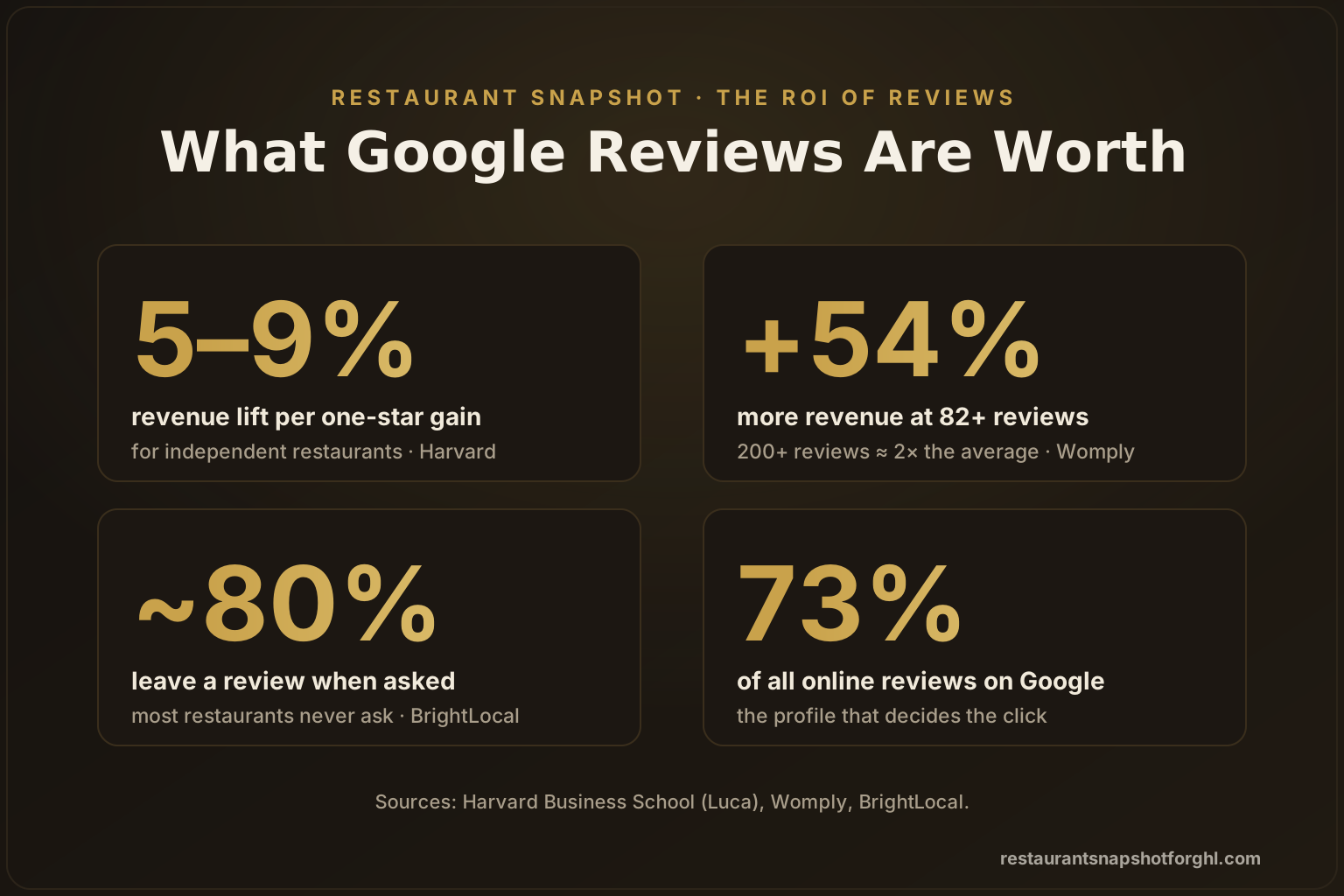
Here’s what the research says about how that decision gets made. Around 93% of consumers read online reviews before choosing a local business, and most check more than one source (BrightLocal). When they do, they’re overwhelmingly on Google: Google holds about 73% of all online reviews, and roughly 46% of diners check Google first when researching a restaurant — about twice the share that starts on Yelp (Toast, 2026).
Where diners look first when researching a restaurant (approximate share, %). Source: Toast, 2026.
Now the money stat. In a landmark Harvard Business School study, economist Michael Luca found that a one-star increase in a restaurant’s rating drove a 5–9% increase in revenue — an effect concentrated almost entirely in independent restaurants, exactly the kind that define Philadelphia’s scene (Harvard Business School). Your star rating isn’t a vanity metric. It’s a revenue lever, and reviews are how you pull it.
What “Automated Review Harvesting” Actually Means
“Automated review harvesting” sounds like jargon, so let’s make it concrete. It is a small set of automations that do four things a busy restaurant can’t reliably do by hand:
- Notice when a guest’s visit is complete (a reservation marked done, an online order fulfilled, a check closed).
- Ask for a review at the moment satisfaction peaks — right after the visit — by text and email.
- Route the response by sentiment: a happy guest goes straight to your Google profile; an unhappy one is quietly sent to the owner before they post publicly.
- Follow up once, politely, for the guests who didn’t respond — then pull every new review back onto your website.
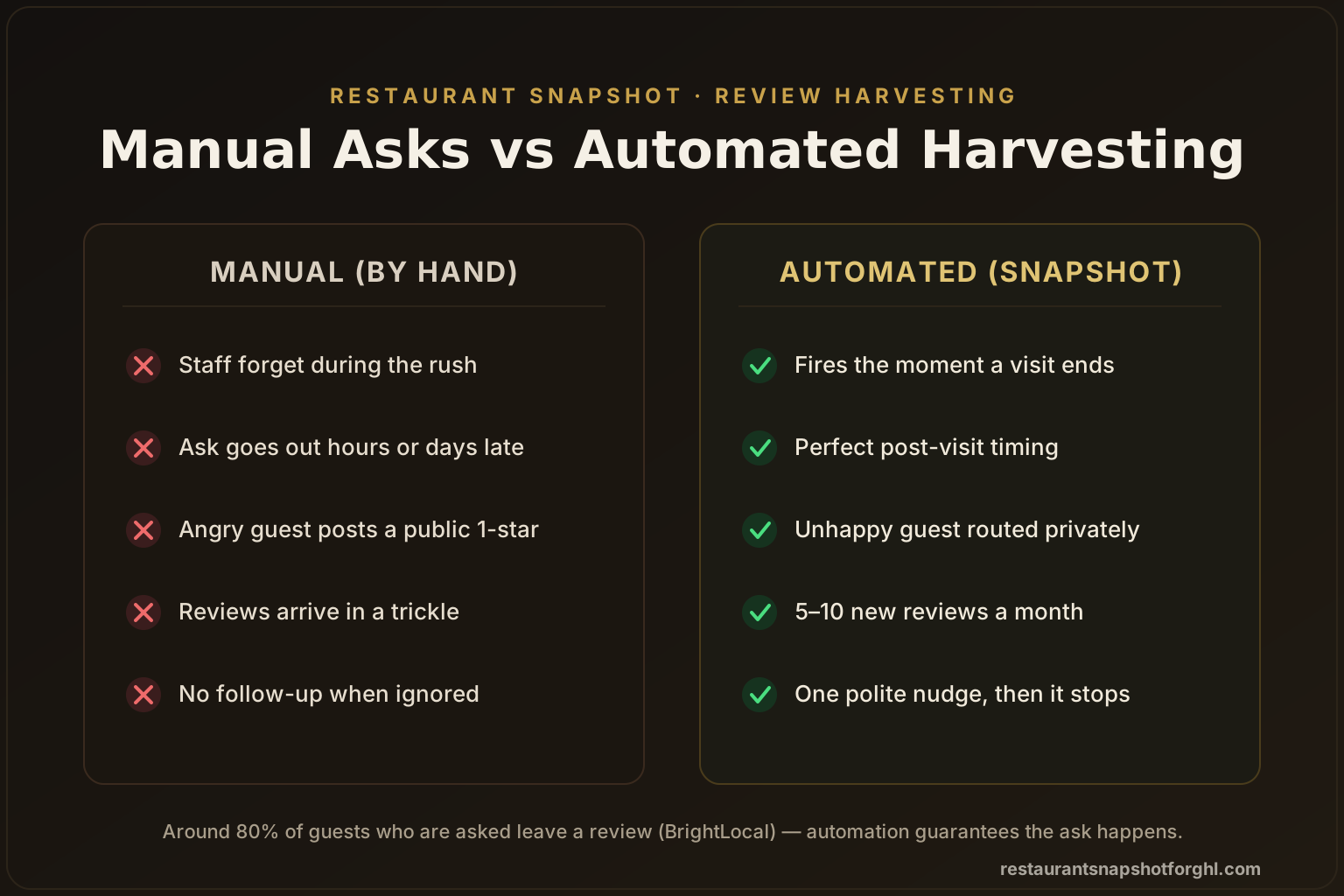
The reason this works is embarrassingly simple: most restaurants never ask consistently. Servers forget during the rush, the manager means to text the party from table 12 and never does, and the happy regular who would happily give you five stars just… goes home. Yet around 80% of people who are asked will leave a review (BrightLocal). Automation removes the only variable that matters — whether the ask actually happens — and takes human memory out of the loop entirely.
Manual review asks vs automated harvesting
| Plan | Manual (by hand) | Automated harvesting recommended |
|---|---|---|
| Price | Free — but rarely happens | Runs 24/7 in GoHighLevel |
| Feature 1 | Depends on staff remembering during the rush | Fires automatically the moment a visit is complete |
| Feature 2 | Ask goes out hours or days late, if at all | Perfectly timed post-visit ask by SMS + email |
| Feature 3 | Unhappy guests post 1-stars in public with no warning | Unhappy guests routed privately to the owner first |
| Feature 4 | Reviews arrive in an unpredictable trickle | A steady 5–10 new Google reviews a month |
| Feature 5 | No follow-up when a guest ignores the first ask | Polite second nudge to non-responders, then it stops |
| Feature 6 | Best for: nobody — this is the leak you're trying to plug | Best for: any Philly restaurant that wants to be found |
The Step-by-Step System to Automate 5-Star Reviews
Here’s the whole build, in the order you should do it. You can assemble this in GoHighLevel yourself, or start from the prebuilt review harvesting workflow in the Restaurant Snapshot and skip straight to customizing the copy.
Step 1 — Fix your Google Business Profile first
Automation pours guests onto your Google profile, so the profile has to be worth landing on. Before you send a single request, claim and complete your Google Business Profile: correct name, address, and hours (Philadelphia diners searching “brunch near me” on a Sunday will bounce if your hours are wrong), your real menu link, current photos, and the correct primary category. This is also the foundation of your local SEO and Google Map Pack ranking — reviews and a complete profile are what push you into the three-pack that shows above the fold.
Step 2 — Capture the guest’s contact at the moment of service
You can’t text a review request to a phone number you don’t have. The system needs a clean guest record — at minimum a mobile number or email — tied to the visit. In practice that comes from your reservation flow, your online-ordering system, a QR-code check-in, or a missed-call text-back that captures the caller. The Restaurant Snapshot’s online reservation system drops every booking straight into the CRM, so the contact is already there when the visit ends.
Step 3 — Fire the ask at peak happiness
Timing is the whole ballgame. A great meal fades from memory by the next morning, and with it the review you earned. The automation waits a set window after the visit is marked complete — typically 1 to 3 hours for a dinner service, or the next morning for a late night — then sends a short, warm request by text, with email as a backup channel.
Why lead with SMS? Text messages see roughly a 98% open rate versus about 20% for email, and most are read within minutes (Infobip, 2026). Pair that reach with the fact that ~80% of asked guests actually leave a review, and a well-timed text is the single highest-converting piece of marketing your restaurant will send all week.
Average open rate by channel (%). SMS’s near-universal open rate is why the post-visit ask leads with text. Source: Infobip, 2026.
Keep the message human: thank them by name, reference the visit, and include a one-tap link straight to your Google review form. One friendly sentence beats a paragraph.
Step 4 — Route by sentiment (protect the rating)
This is the step that separates a real system from a spray-and-pray blast. Instead of firing every guest at your public Google profile, the workflow asks a quick “How was it?” first — or reads a star tap in the message. Happy guests are routed straight to Google. Unhappy guests are routed privately to the owner or manager so you can make it right by text before it ever becomes a public one-star.
This isn’t about hiding bad reviews — it’s about catching a fixable problem in private and giving the guest a reason to come back. The nuance is real: Womply’s analysis of 200,000+ businesses found that those in the 3.5–4.5 star range actually earned more than businesses sitting at a suspiciously perfect 5.0 (MediaPost). Authenticity and volume win — so the goal is a full, believable profile, with problems solved before they go public.
Step 5 — Follow up once, then stop
Roughly half your guests won’t act on the first message — they’re busy, they meant to, they forgot. A single, polite follow-up a day or two later recovers a meaningful share of them without becoming a nuisance. The rule that keeps you from annoying regulars: ask twice, maximum, then the sequence ends. The automation tracks who already reviewed and never re-asks them.
Step 6 — Reply to every review, then showcase them
Reviews are a conversation, not a scoreboard. More than 80% of consumers think businesses should respond to reviews (BrightLocal), and it pays: Womply found businesses that reply to at least 20% of their reviews earned about 33% more revenue than average, and customers reported spending up to 58% more at businesses that respond (MediaPost). Automating on-brand replies — the job of the Google Business auto-reply feature — keeps every review answered in your voice. Finally, pull the best new reviews back onto your website so the social proof works for you everywhere, not just on Google.
What a Steady Stream of Reviews Is Worth
Put the pieces together and the payoff isn’t abstract. Restaurants running automated, well-timed review asks typically go from a trickle to 5–10 new Google reviews a month without changing a thing about service. And volume, it turns out, is where the revenue lives.
Womply’s study of more than 200,000 U.S. businesses found the average business has about 82 reviews — and the ones that clear that bar earn dramatically more. Businesses with 82+ reviews earned roughly 54% more annual revenue than average, and those with 200+ reviews earned about double (MediaPost).
Relative annual revenue by review count (average business = 100). Source: Womply, via MediaPost.
Now layer that on Harvard’s finding that a one-star gain lifts an independent restaurant’s revenue 5–9%, and the case makes itself: reviews are the cheapest, highest-return marketing a Philadelphia restaurant can invest in — if the asking actually happens. Automation is what guarantees it does.
Common Mistakes Philly Operators Make
Even operators who believe in reviews sabotage the system in predictable ways:
- Asking manually “when we remember.” Memory loses to the Friday rush every time. If the ask isn’t automated, it effectively doesn’t happen.
- Blasting everyone to Google with no sentiment gate. That’s how a fixable complaint becomes a permanent one-star. Always route unhappy guests privately first.
- Buying or begging for fake 5-stars. Google filters them, and a wall of identical perfect reviews reads as fake to diners, too. Authentic volume is the goal.
- Asking days later. The window is hours, not days. Post-visit timing is why SMS beats a monthly email newsletter for this job.
- Never replying. An unanswered review — good or bad — is a missed conversation that, per the data, is quietly costing you covers.
Avoid those five and the system does what it’s supposed to: turn the guests you already served into the social proof that wins the next table.
Frequently Asked Questions
Automating restaurant Google reviews — common questions
Is it against Google's rules to automate review requests?
No. Google explicitly encourages businesses to ask customers for reviews. What's against the rules is gating (only asking people you know are happy in order to inflate your score), buying reviews, or offering incentives in exchange for a review. The system described here is compliant: you ask every guest, and the sentiment step exists to route unhappy guests to a private conversation so you can fix the problem — not to block them from reviewing. Never pay for reviews or offer a discount in exchange for one.
How many new reviews can a Philadelphia restaurant realistically expect?
Most restaurants that switch from asking manually to an automated post-visit ask go from a trickle to roughly 5–10 new Google reviews a month, because around 80% of guests who are actually asked will leave one (BrightLocal). The exact number depends on your covers and how clean your guest-contact capture is, but the direction is dramatic and consistent: consistent asking beats sporadic asking every time.
Won't texting guests for reviews annoy them or break TCPA rules?
Not if it's done right. Collect SMS consent at the point of capture with clear opt-in language and an easy STOP keyword, ask a maximum of twice, and never re-ask someone who already reviewed. That keeps you compliant with TCPA and A2P 10DLC and keeps the experience friendly. The Restaurant Snapshot ships with compliant templates and the opt-out handling built in — see our guide to TCPA-compliant restaurant SMS for the details.
Why route unhappy guests privately instead of just letting them review?
Because a fixable problem is worth catching in private. If a guest had a bad night, a quick, genuine text from the owner often turns the situation around — and gives them a reason to come back — instead of a public one-star that costs you future diners. It's not about hiding feedback; the goal is a full, authentic profile, and Womply's data shows businesses in the 3.5–4.5 star range with real volume outperform those clinging to a suspiciously perfect 5.0.
Do I need GoHighLevel and the Restaurant Snapshot to do this?
You need a system that can watch for a completed visit, send timed SMS and email, branch on sentiment, and log everything — that's exactly what GoHighLevel does, and the Restaurant Snapshot ships the review harvesting workflow prebuilt so you skip the build. You can wire the logic together yourself, but most operators would rather start from the done-for-you version and just tune the copy. Either way, the six steps above are the blueprint.
Written by Devon Pak, GHL agency owner and snapshot builder. Devon runs a small agency that builds and resells GoHighLevel systems to hospitality clients, from food trucks to fine dining. A former line cook turned funnel nerd, he’s obsessed with the unsexy plumbing of restaurant marketing: A2P 10DLC registration, two-way SMS, and review pipelines that don’t annoy guests.