
Course VI · Server pad
GoHighLevel contact action buttons, as quick as a server’s pad
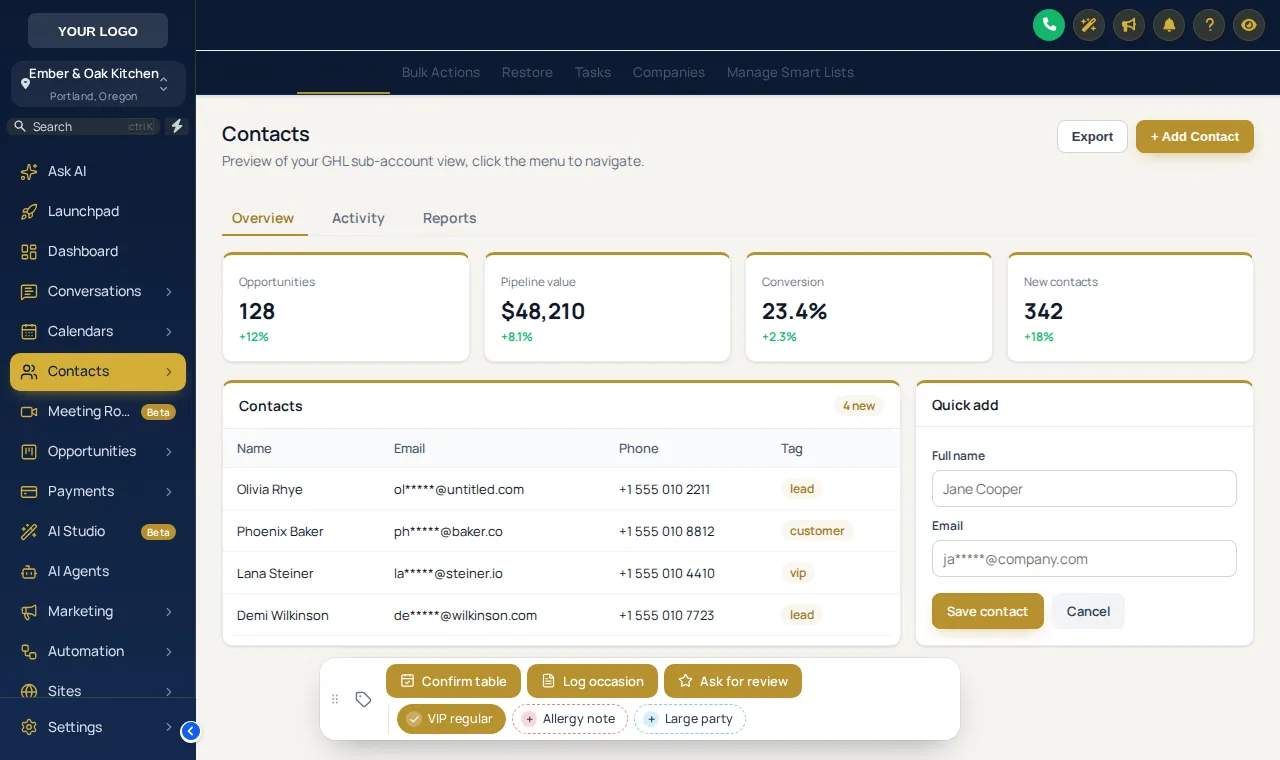
GoHighLevel contact action buttons put the things your team does to a guest record in one tap. Quick tags such as VIP regular or allergy note add a tag that can start a workflow; buttons open a short form that saves straight into custom fields. The bar sits on every contact page, in the sub-accounts you pick.
Table 12 · Maria Lopez
Guest record · four visits this year
Take the order
Try GHL quick tags and buttons on a guest record
Tap a quick tag to add or remove it, press Log occasion to open its form, change the chip colours or move the bar. Nothing is saved in the preview.
Warming up the live preview
A colour per tagThis is the real contact actions bar. Tap a quick tag to add or remove it, press Log occasion to open its form, or drag the bar by its grip. Nothing is saved in the preview; inside GoHighLevel the guest record updates straight away.
Two kinds of shortcut
One-click tag workflows and custom field forms
Tap on, tap off
VIP regular, allergy note, large party. Each is a real GoHighLevel tag, so smart lists, filters and “tag added” workflow triggers all work as usual.
A small form, saved to fields
Log occasion asks for the occasion, date and party size and writes them to custom fields, ready for a birthday or anniversary workflow.
Front of house
Guest profile shortcuts for restaurant teams
- Confirm a table
One button tags the guest and lets your confirmation workflow send the text, no menus opened.
- Flag allergies
A red quick tag that shows on the record and can alert the kitchen through a workflow.
- Capture occasions
Birthdays and anniversaries saved to fields at the host stand, feeding next year’s invitation.
- Ask for a review
Tag a happy guest after service and the review request goes out from the workflow you already run.
Setting it up
How to build the contact actions bar
- 01
Add quick tags
List the tags your team adds by hand most often, give each a label and a colour. One tap adds the tag, a second tap removes it.
- 02
Add buttons
A button can add or remove tags, or open a short form whose answers are saved into the contact’s custom fields.
- 03
Choose where the bar sits
Pick one of 6 positions on the contact page and decide whether people may drag it.
- 04
Pick the sub-accounts
Show the bar in every sub-account or only in the ones you list, then save. It appears on the next page load.
Questions from the floor
GoHighLevel contact action button FAQs
How do I add a tag in one click in GoHighLevel?
With a quick tag on the contact actions bar. You define the tag once; on any contact page one tap adds it and a second tap removes it, so a host does not open the tag field and type.
Can a tag start a workflow?
Yes, in the normal GoHighLevel way. Build a workflow with a “tag added” trigger; the quick tag adds the tag and the workflow starts, for example a table-confirmation text.
Can a button fill custom fields?
Yes. A button can open a short form, such as occasion, date and party size, and the answers are saved into the contact’s custom fields when the form is submitted.
Does it work on phones and tablets?
Yes. The bar sits on the contact page in the position you choose and can be dragged by its grip, so it stays clear of the fields underneath.
Can I limit it to some restaurants?
Yes. Show it in every sub-account, only in the ones you list, or in all except some.
What do the chip colours mean?
You choose: a colour per tag, your brand colour for all of them, or green when the tag is on and grey when it is off. The preview above shows all three.
Is anything saved when I try the preview?
No. The preview is the real bar on a copy of the contact page; nothing is sent anywhere. Inside GoHighLevel the contact updates straight away.
Which package includes the contact actions bar?
It starts on Main Course ($387 once) and is included on every larger menu.
Ready when you are
Every guest note in one tap
The contact actions bar, dashboards, pipeline styles and mega menus come on Main Course, paid once.
Paid once by card through Stripe · login by email within minutes · no monthly fee